Board Room, Reimagined: Monroe-Woodbury CSD's New AV System Sets the Standard for District Governance Spaces

When Monroe-Woodbury Central School District set out to modernize its board room, the goal wasn't just better sound and a bigger screen — it was a room that runs itself. Working alongside dealer partner Young Equipment Solutions, Bri-Tech designed and installed a fully automated AV environment built around Inspirence CODA, the intelligent control engine that now handles nearly every signal-routing decision in the room without anyone touching a button.
The Challenge
Board rooms are strange spaces to design for. One night they're hosting a formal public meeting with eighteen seated trustees and a packed gallery; the next, they need to become an open workshop space for a community forum or staff training session. Add in a rotating cast of presenters — some comfortable with AV gear, most not — and the traditional model of "hand someone a remote and hope for the best" starts to break down fast.
Monroe-Woodbury needed a room that could flex between configurations, welcome any device without a cable hunt, and stay simple enough that a board member could walk in, sit down, and start talking — with zero setup.
The Solution: A Room That Anticipates You
At the center of the system is Inspirence CODA, which handles automatic signal routing across every input and output in the room. There's no power-up sequence and no source selection required for the most common use case: someone begins speaking into a microphone, and after a short delay the system wakes itself up. When the room goes quiet, it powers back down on its own.
Plug in a laptop, and CODA senses the new HDMI signal and automatically routes it to the displays — no menu diving required. For anyone who'd rather skip the cable entirely, wireless casting is built in as well.

Video. The room is anchored by a large video wall, complemented by three 98" displays mounted on the side and rear walls, giving every seat in the room — and the gallery — a clear sightline. All four display zones stay synchronized automatically, whether the source is a wired laptop, a wireless cast, or the room's own camera feed.
Audio. Eighteen microphones cover the dais, each with compression and gating preconfigured specifically for the room's acoustics, so levels stay even whether a trustee leans in or sits back. The system automatically matches gain across all eighteen inputs and applies feedback filtering in real time, which means the days of a mic screeching mid-meeting are gone.

Podium. At the presentation table or front of the room, an Inspirence Smart Podium replaces the traditional lectern and its tangle of cables with a single integrated unit — PC, microphone, and touchscreen built into one electrically height-adjustable stand. Presenters can annotate directly on the podium's 21.5" capacitive touch display while still facing the room. Because the podium is mobile and the room has multiple flush floor box connection points, it isn't locked to one fixed position either — staff can roll it to wherever a presentation or workshop calls for it.

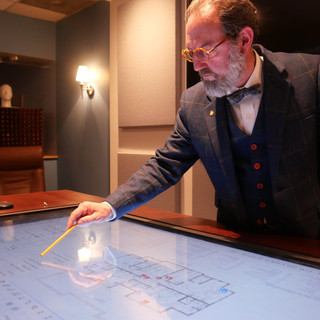
Control. A touchscreen at the front of the room gives staff simple, intuitive access to the everyday adjustments — video source, volume, display power — without exposing the deeper system architecture. For anything more advanced, a full production-grade control and broadcast computer lives in the room's Inspirence Cyberbooth, giving technical staff granular control over individual mic channels, display zone routing, and amplifier management when they need it.
Built to Change Shape
Governance spaces don't get used just one way, and Monroe-Woodbury's board room was designed with that in mind. The dais tables fold and store, opening the floor for larger community events, workshops, or all-hands staff sessions — with the same automated AV system adapting to the new layout rather than requiring a separate setup.
Why It Matters
The result is a board room where the technology disappears into the background. Board members don't need training to use it, presenters don't need to hunt for the right cable, and district AV staff have full production control available the moment they need it — without it getting in anyone's way day to day. It's a model of what a modern public governance space can be: welcoming to the public, effortless for staff, and expandable as the district's needs evolve.
FAQ
Does anyone need to power on the system before a meeting? No. Speaking into a microphone wakes the system automatically after a short delay, and it powers down on its own after a period of inactivity.
How does the room handle a guest presenter's laptop? Any laptop plugged in via HDMI is automatically detected and routed to the displays. Wireless casting is also available for anyone who prefers to skip the cable.
Can the room be reconfigured for non-board-meeting events? Yes. The dais tables fold and store, opening the room for workshops, community forums, or larger gatherings, with the AV system adapting to the new layout.
Who manages the more advanced production features? District AV staff can access full production and broadcast controls through the dedicated computer housed in the room's Inspirence Cyberbooth.
For Design/Consulting Contact: info@bri-tech.com
For Education Sales contact - info@youngequipment.com